
Ensuring a Safe and Supportive Session: A Guide for Hosts
As a dedicated host on ShareWell, your role is crucial in maintaining a secure and nurturing environment for peer support. To facilitate smooth sessions, here are three essential safety features at your disposal:
🔇 Mute a Participant:
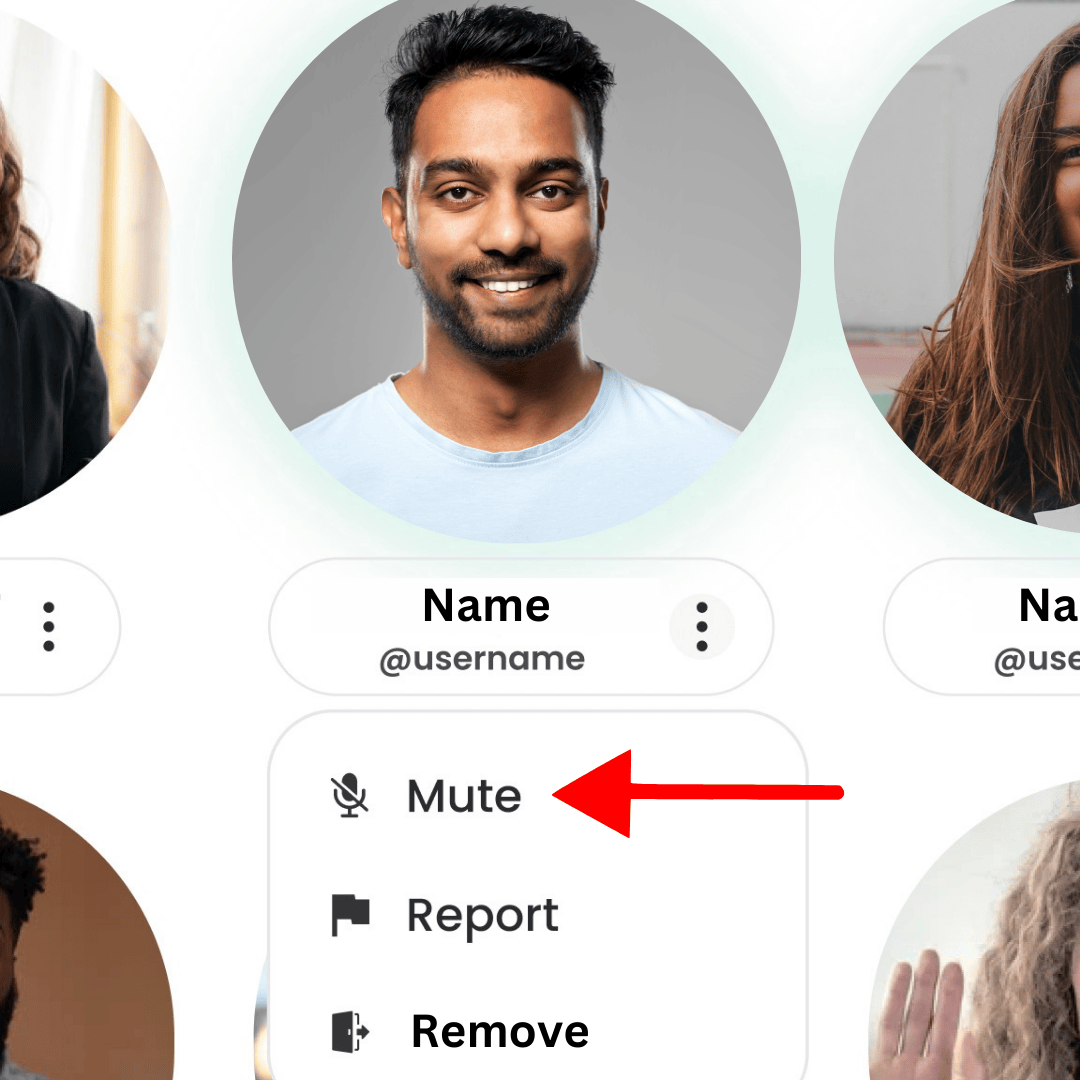
If you need to mute a member, whether it’s small background noise, or something more disruptive, hover over their video, click the three dots next to their name, and select “Mute Member.”
🔒 Remove a Participant:
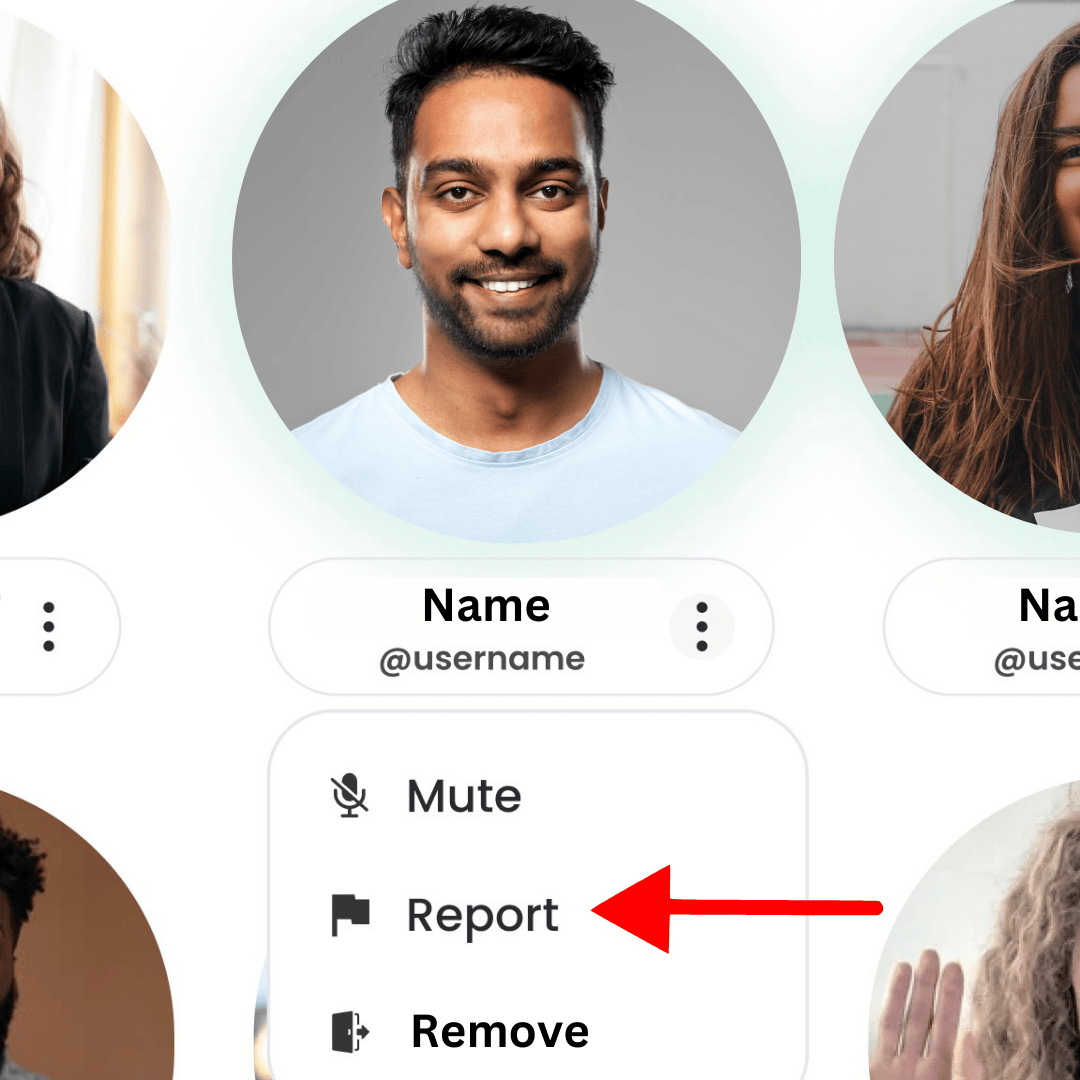
If you need to remove a member from your session, it’s the same process. Click the three dots next to their name and select “Remove Member.” You will be prompted to provide a reason for the removal so the ShareWell Safety Team can follow up if necessary.
🔇 Mute a Participant in Chat:
If you need to mute a member in the chat, hover over their message, click the three dots next to their message, and select the chat icon with an X next to it. This member will no longer be allowed to send messages in the chat.
🚫 Restrict a Participant:
There may be a time where you need a break from another member, that’s ok. Click their name in the session chat to view their profile, select the three dots, and choose “Restrict Member.” This will prevent you from attending future sessions with this peer.
🚩 Flag a Member or a Chat:
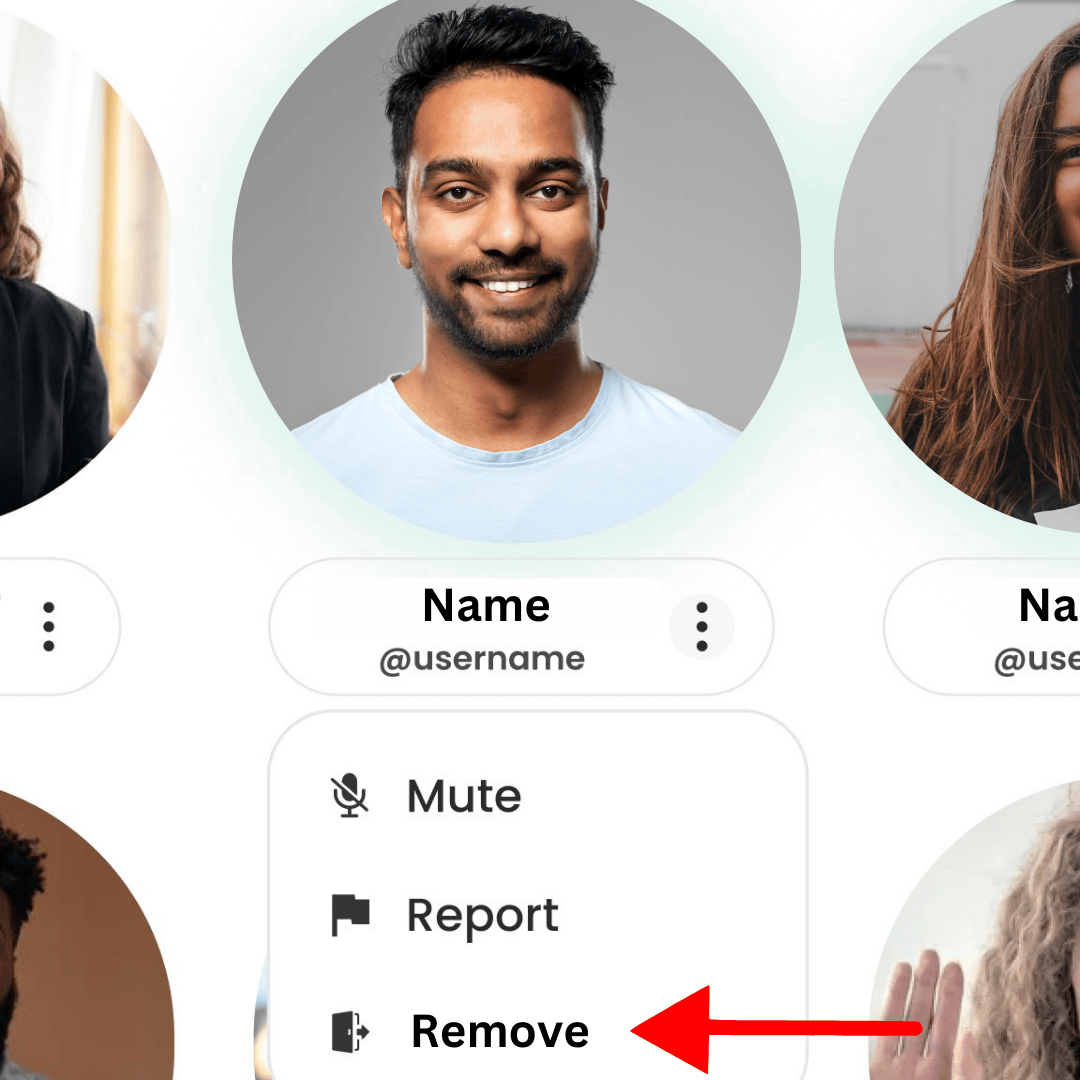
If you need to flag a member for unusual behavior or concern for their safety, please do so generously. This helps the ShareWell Safety Team keep everyone safe. You can flag a member during a session the same way you mute or remove them. You can also flag their chat message by hovering over the message and clicking the “flag” icon.
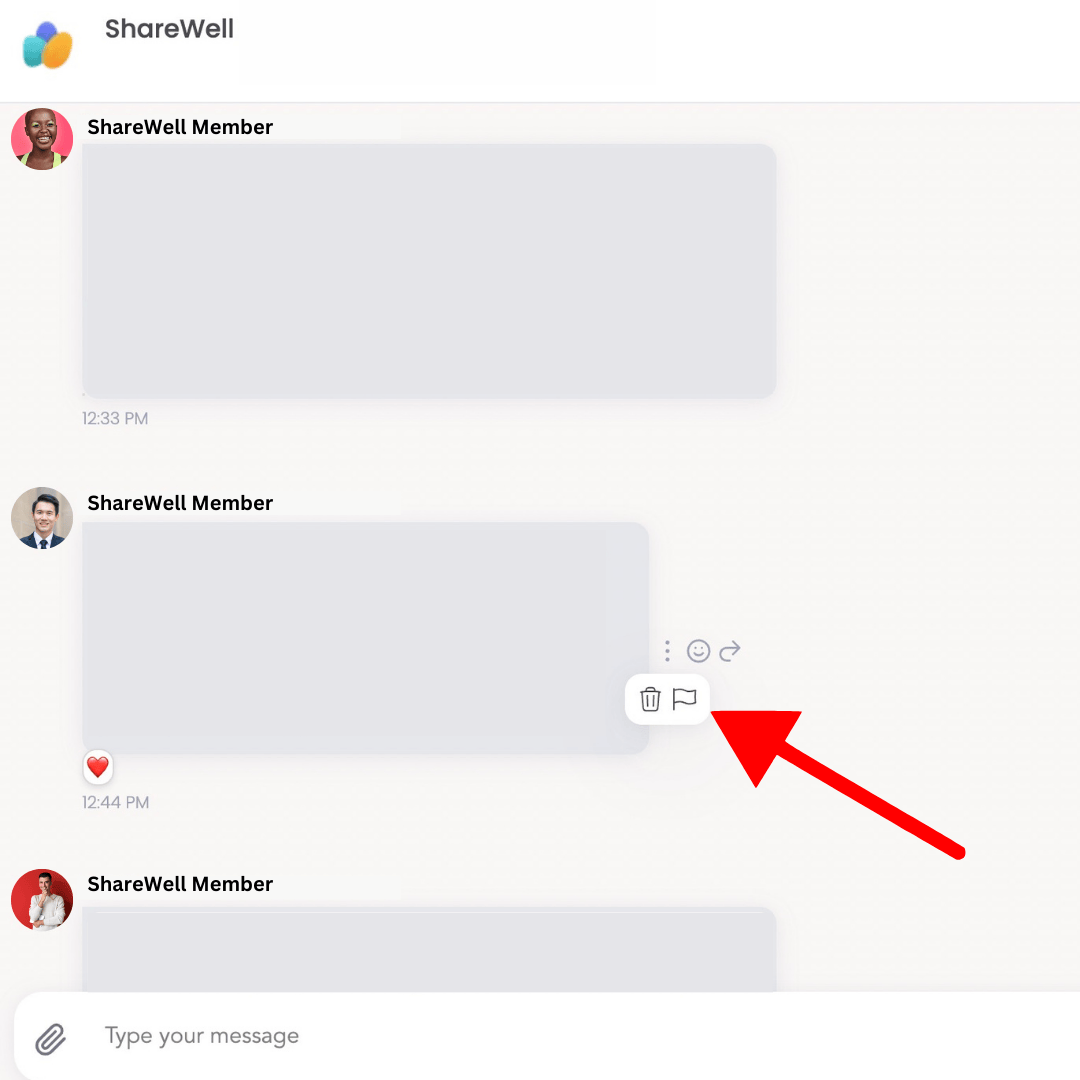
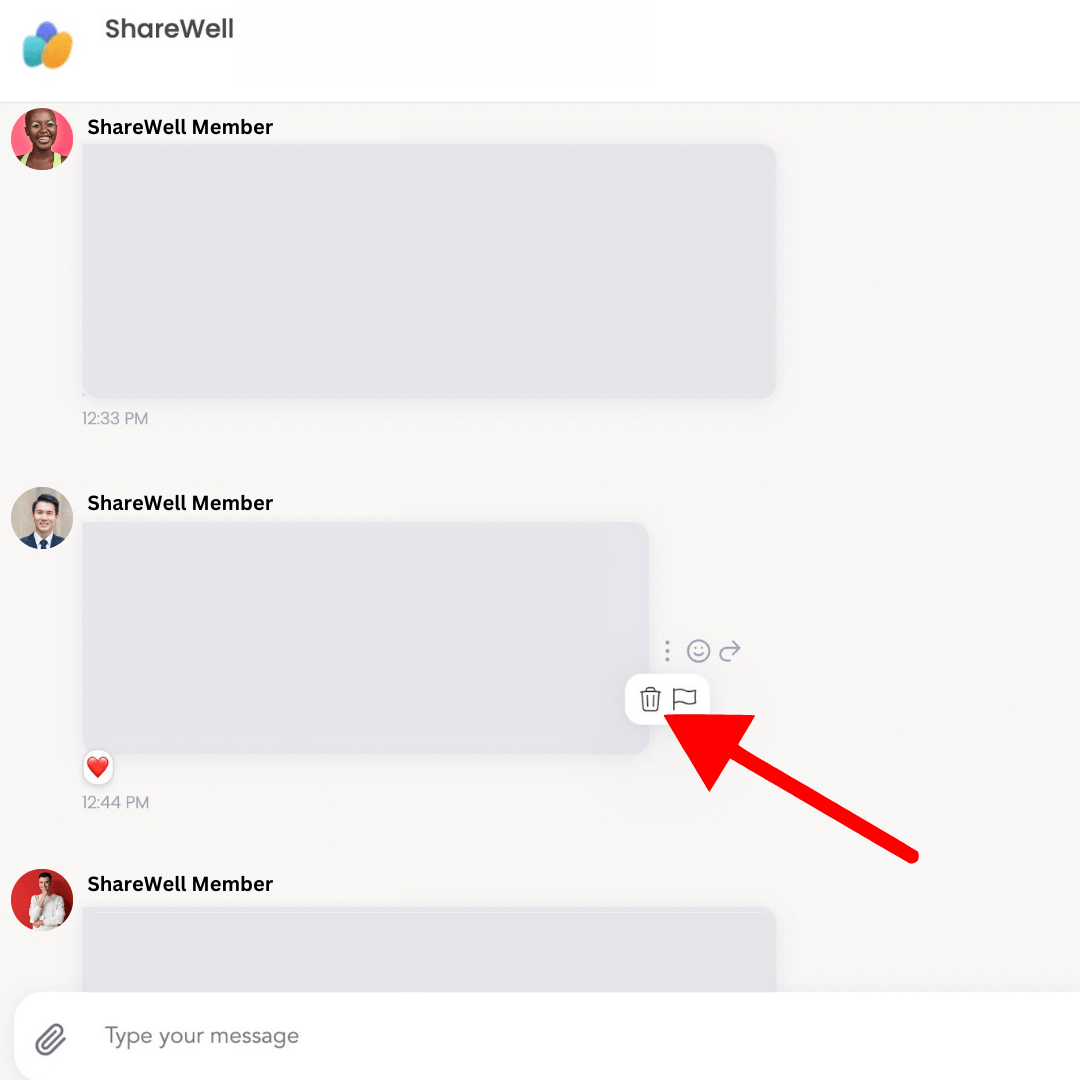
⛔ Delete a Members Chat Message (NEW):
On the rare occasion a peer shares something triggering in the chat, you can now delete their message. Simply hover over the chat message and select the “trash can” icon.
When to Report or Give Feedback:
- Advice Giving: Ensure discussions align with the supportive nature of ShareWell.
- Use of Offensive Language: Maintain a respectful and inclusive environment.
- Mention of Suicide or Self-Harm: Report immediately for outreach and additional support.
- Not Abiding by ShareWell Ground Rules: Uphold the established guidelines for a positive experience.
Important Note: Reporting or giving feedback does not imply punishment. Instead, it initiates support measures. In cases of repeated reports on the same member, the ShareWell team intervenes, recognizing that members may be unaware of the community culture. This proactive approach enhances the overall experience and fosters a supportive atmosphere.
*If someone mentions suicide or self-harm, please report to ensure immediate outreach and access to additional resources. Your commitment to safety contributes significantly to the well-being of our community.
See our full Safety and Content Policy to learn more about these features, how to use them, and what is allowed and what is prohibited on ShareWell.
We trust that these safety features empower you in establishing not just a session but a sanctuary for open dialogue and mutual support among peers. Your commitment to creating a secure and enriching space is pivotal in shaping the ShareWell experience and contributing to a community where mental health thrives.
If you have any additional questions reach out to support@sharewellnow.com or join one of our Host Support Circles!
Join a Support Group: sharewellnow.com/online-support-groups
Join an Expert Coaching Group: https://sharewellnow.com/expert-coaching-groups